

meta data for this page
MenuBar – Menus
The MenuBar contains five pull-down menus: Hoku, Images, Windows, Plots and Desktops.
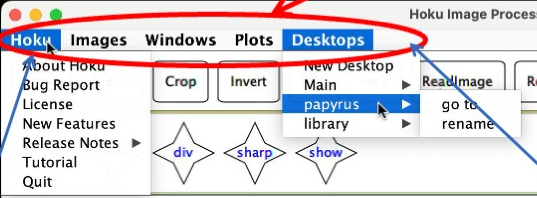
Hoku Menu
| Item | What it does |
|---|---|
| About Hoku | Shows version information |
| Bug Report | Explains how to make a bug report. See Bug Report |
| License | Shows the license information for Hoku |
| New Features | Lists what is new in this version |
| Release Notes | Shows the changes made in each Hoku version |
| Tutorial | Opens the built-in tutorial again |
| Quit | Exits Hoku |
Desktops Menu
You can organize your work on several Desktops. Each Desktop you have is listed in this menu.
| Item | What it does |
|---|---|
| New Desktop | Creates a new Desktop |
| a listed Desktop → go to | Jumps to that Desktop |
| a listed Desktop → rename | Changes its name |
Images Menu
Each open image is listed in this menu.
| Item | What it does |
|---|---|
| Close All | Closes all open images |
| a listed image → display | Brings it to the front |
| a listed image → rename | Changes its name |
| a listed image → close | Closes that image |
Windows Menu
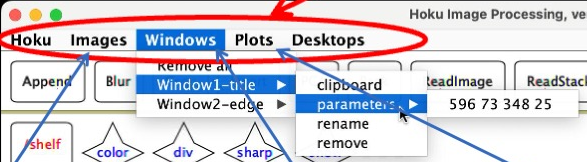
A window is a rectangular region of interest on an image. See Window Arguments. Each window is listed in this menu.
| Item | What it does |
|---|---|
| Remove All | Removes all listed windows |
| a listed window → clipboard | Sends it to the clipboard |
| a listed window → parameters | Displays its four numbers: x, y, width and height |
| a listed window → rename | Changes its name |
| a listed window → remove | Removes that window |
Plots Menu
Each open plot is listed in this menu.
| Item | What it does |
|---|---|
| Close All | Closes all open plots |
| a listed plot → display | Brings it to the front |
| a listed plot → rename | Changes its name |
| a listed plot → close | Closes that plot |