

meta data for this page
Cupboard – Instructions for Modules
Instructions for each module are available by left-clicking the module in the Cupboard. A window with the instructions for that module appears on the screen.
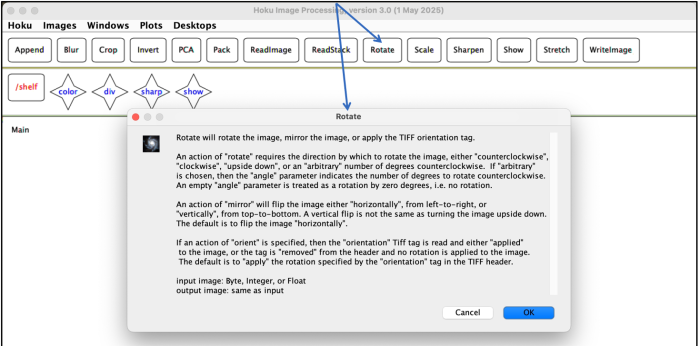
The instructions for each module describe:
- what the algorithm does to the image
- what parameters are available to be set for the module
- what the parameter values will do
- what type of input and output images the module will take and produce
You can also open the same instructions from a module on the Desktop: every argument dialog has a Help button (question-mark icon). See ReadImage and Show.