Table of Contents
Modifications – Append
Append attaches one image to another, either side by side (spatially) or by adding its bands (spectrally).
Append is one of the few modules that take two input images. In its argument dialog, you say which image arrives on which side (link) of the module:
- input_link: the side where the main image arrives
- append_link: the side where the image to attach arrives
- direction: on which side of the main image to attach it (left, right, top or bottom), or layers to add its bands
Side by side
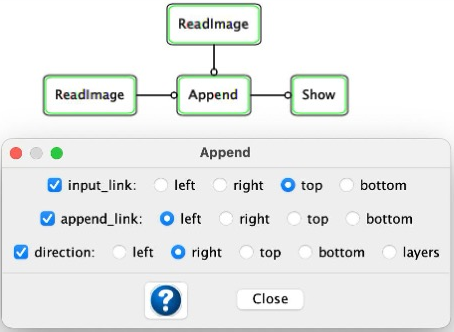
In this example, the main image comes from the ReadImage on the top link, and the image to attach comes from the ReadImage on the left link. With direction right, the output image has the main image on the left and the attached image on its right.
Combining bands
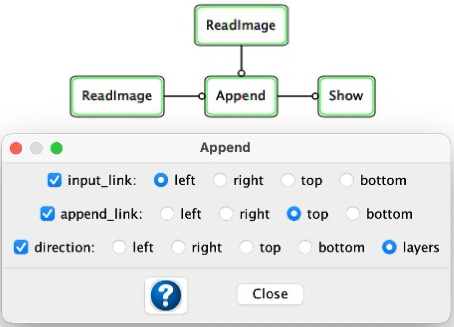
Here the main image is on the left link and the image to attach is on the top link. With direction layers, the output image contains all the bands of both images: the main image's bands come first, followed by the bands of the attached image. To combine bands, both images must be the same size.
The output data type is whichever of the two inputs has the larger type.